
Premissas: #
- O administrador já tenha uma conta criada na controladora eKit da Huawei
- O administrador já tenha um projeto criado dentro da controladora e os Access Points devidamente adotados
- Acesso a interface web do eKit pelo endereço: https://ekit.huawei.com/
- Ter um projeto criado e selecionado, onde será configurado o HotspotNOW.
Configuração #
Acesse o menu Configuration -> Wi-Fi Management, em seguida AP e depois clique em Create.

Insira as seguintes informações no painel que vai surgir
| Parâmetro | Valor |
|---|---|
| Wi-Fi network name | SSID da sua rede Wi-Fi |
| Security policy | Portal Auth |
| Authentication type | Relay Authentication |
| Protocol | HTTPS |
| Username” Parameter Name | username |
| “Password” Parameter Name | password |
| URL Redirect Matching Rule | Redirect URL parameter |
| Name of “URL After Successful | redirect_url |
| RADIUS Proxy Server | Deve-se criar um novo Radius Proxy Server |
| URL Profile | Deve-se criar um URL Profile |
| Third-party Authentication URL | https://api.hotspotnow.net/redirect/huawei-ekit |
| Portal authentication exemption | Desabilitado |
| Real-Time Accounting | Desabilitado |
| Default permit rule | Deve-se criar uma Default Permit Rule |
Cadastrar Radius Proxy Server #
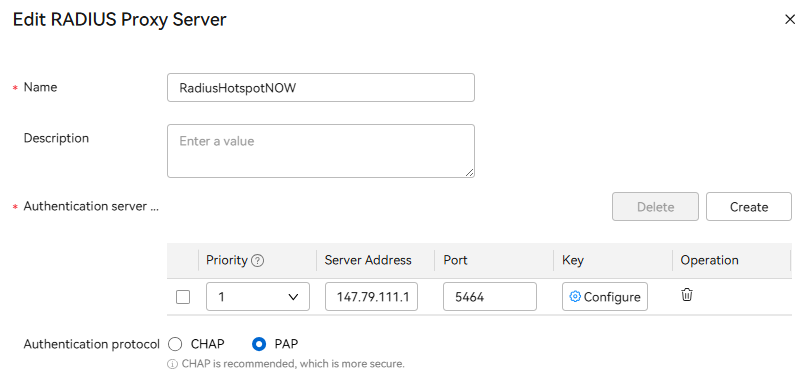
Clique no menu suspenso Radius Proxy Server em seguida clique em Create.

Inserir as seguintes informações para o servidor de autenticação:
| Parâmetro | Valor |
|---|---|
| Name | RadiusHotspotNOW |
| Authentication Server Address | Clicar em Create |
| Priority | 1 |
| Server Address | 147.79.111.137 |
| Port | 5464 |
| Key | Solicitar ao suporte do HotspotNOW |
| Authentication protocol | PAP |
Sua configuração deve ficar conforme a imagem abaixo:
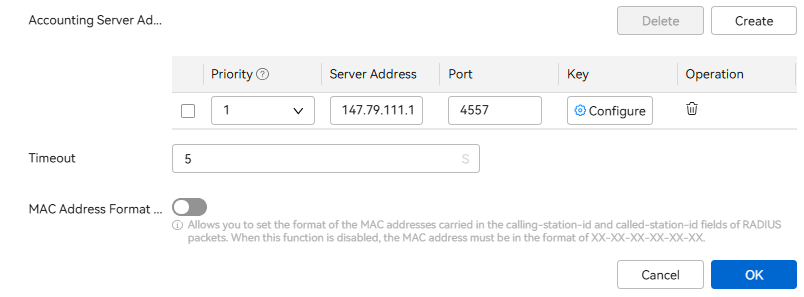
Agora iremos inserir as seguintes informações para o servidor de contabilidade:
| Parâmetro | Valor |
|---|---|
| Accounting server Address | Clicar em Create |
| Priority | 1 |
| Server Address | 147.79.111.137 |
| Port | 4557 |
| Key | Solicitar ao suporte do HotspotNOW |
Sua configuração deve ficar conforme a imagem abaixo:
Cadastrar URL Profile #
Clique no menu suspenso URL Profile em seguida clique em Create.
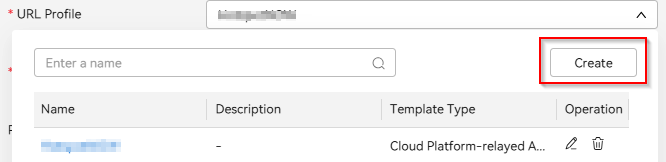
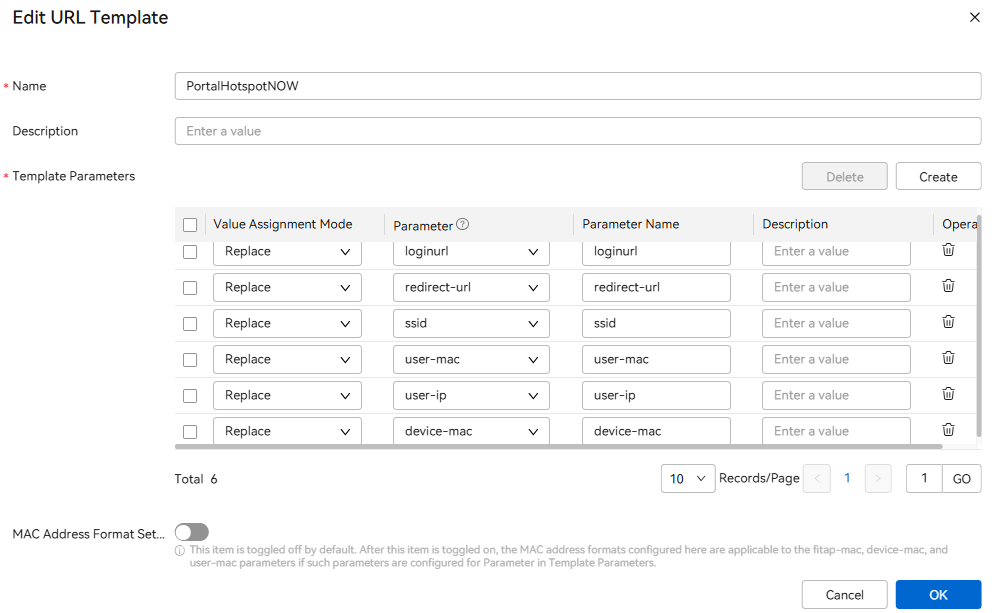
No campo Name, preenche como “PortalHotspotNOW”
| Value Assignment Mode | Parameter | Parameter Name |
|---|---|---|
| Replace | loginurl | loginurl |
| Replace | redirect-url | redirect-url |
| Replace | ssid | ssid |
| Replace | user-mac | user-mac |
| Replace | user-ip | user-ip |
| Replace | device-mac | device-mac |
Sua configuração deve ficar conforme a imagem abaixo:
Cadastrar Default Permit Rule #
Clique no menu suspenso Default Permit Rule em seguida clique em Create.
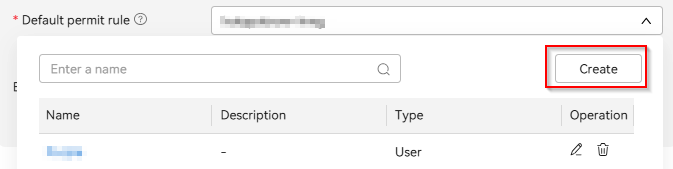
No campo Name, preencha como “HotspotNOW”.
Em IPv4 rule, clique em create e insira as seguintes informações:
| Value Assignment Mode | Domain name | Protocol |
|---|---|---|
| Address Type | *.hotspotnow.net | Any |


